
LrSuperKeys 7 · Existing License Renewal · Mac & PC
Extend your updates.
Keep your license.
Add one full year of Lightroom Classic updates to your existing LrSuperKeys license for $35. One-time, optional, and never a subscription.
- $35 USD · One-time
- Extends your existing key
- No recurring billing
- Your license never expires: Releases built on or before your current support end date keep working forever, even if you never renew.
- One year of new builds included: Covers every feature, Lightroom Classic compatibility update, and macOS/Windows fix released during your new 12-month window.
- Applies to your existing license: No new key to manage. After checkout, your support end date updates on your existing license (or click License → Refresh License).
- Works across Mac & Windows: Covers native Apple silicon, Intel Mac, and Windows builds under the same license.
1-Year Update Support · $35 USD
Start your renewal in LrSuperKeys
Starting from inside the app links checkout straight to your existing license ID.
- Open the latest LrSuperKeys app on your Mac or Windows computer.
- Select License in the sidebar, then choose Extend Support.
- Finish one-time PayPal or card checkout right back in your browser.
Don’t see Extend Support? Your license already covers the latest release, so no renewal is needed. Contact support →
PayPal, Pay Later, or Debit/Credit Card. Applies directly to your existing license. Need help? support@lrsuperkeys.com
How update coverage works
Three steps from check to updated.
01 · Check coverage
Find your support end date
Open License inside LrSuperKeys to check Support End. Every release built on or before that date stays unlocked forever.
02 · Launch in app
Choose Extend Support
When you install a newer build outside your support window, clicking Extend Support attaches your license ID automatically so checkout applies to the right key.
03 · Keep editing
Refresh & keep your setup
Your existing license extends immediately after PayPal confirmation. If the app still shows your older date, choose License → Refresh License. All shortcuts and presets stay intact.
What recent updates unlocked
Built for faster cropping, masking, and grading.
Extending updates brings your license current with everything added in LrSuperKeys 7.5 and newer builds.
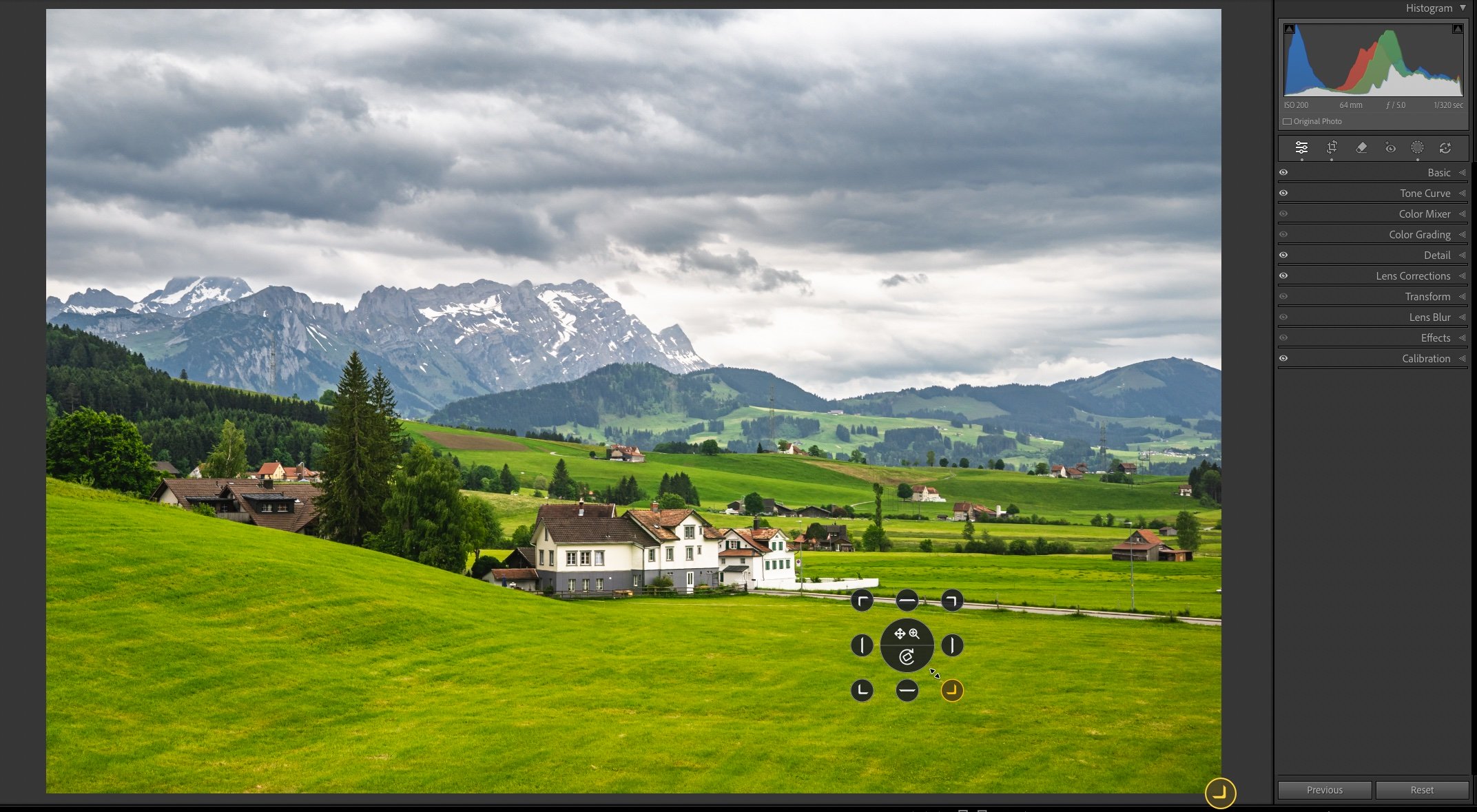
Crop Tool Panel & Zoom Crop
Crop, pan, zoom, and straighten without chasing handles.
Hold your Crop Speed Key to adjust edges right from the center of the photo, or resize around the crop center with Zoom Crop.
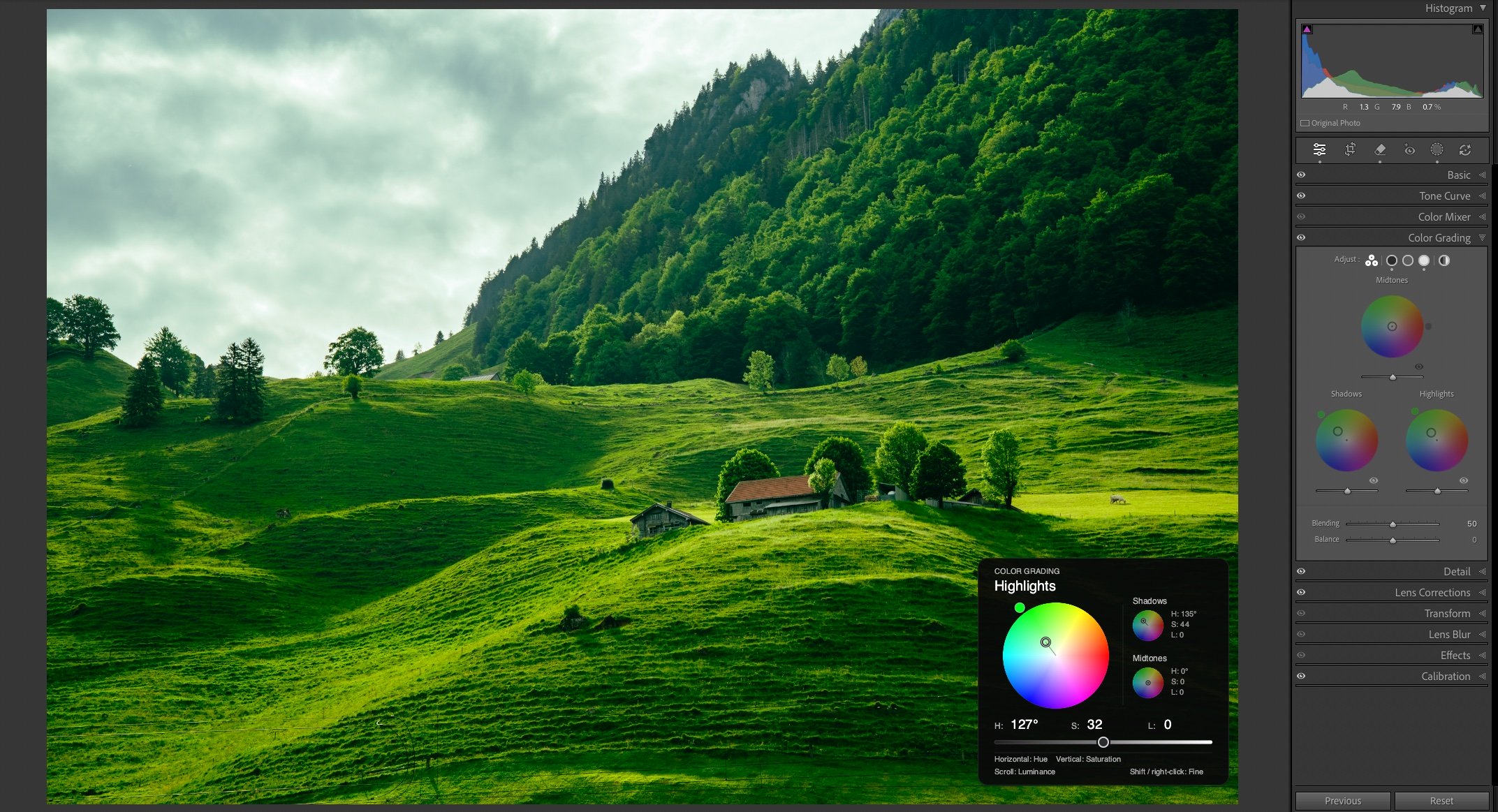
Color Grading Speed Keys
Grade Shadows, Midtones, Highlights, and Global by key.
Hold a Color Grading range key and move for hue and saturation or scroll for luminance while keeping your eye on the frame.
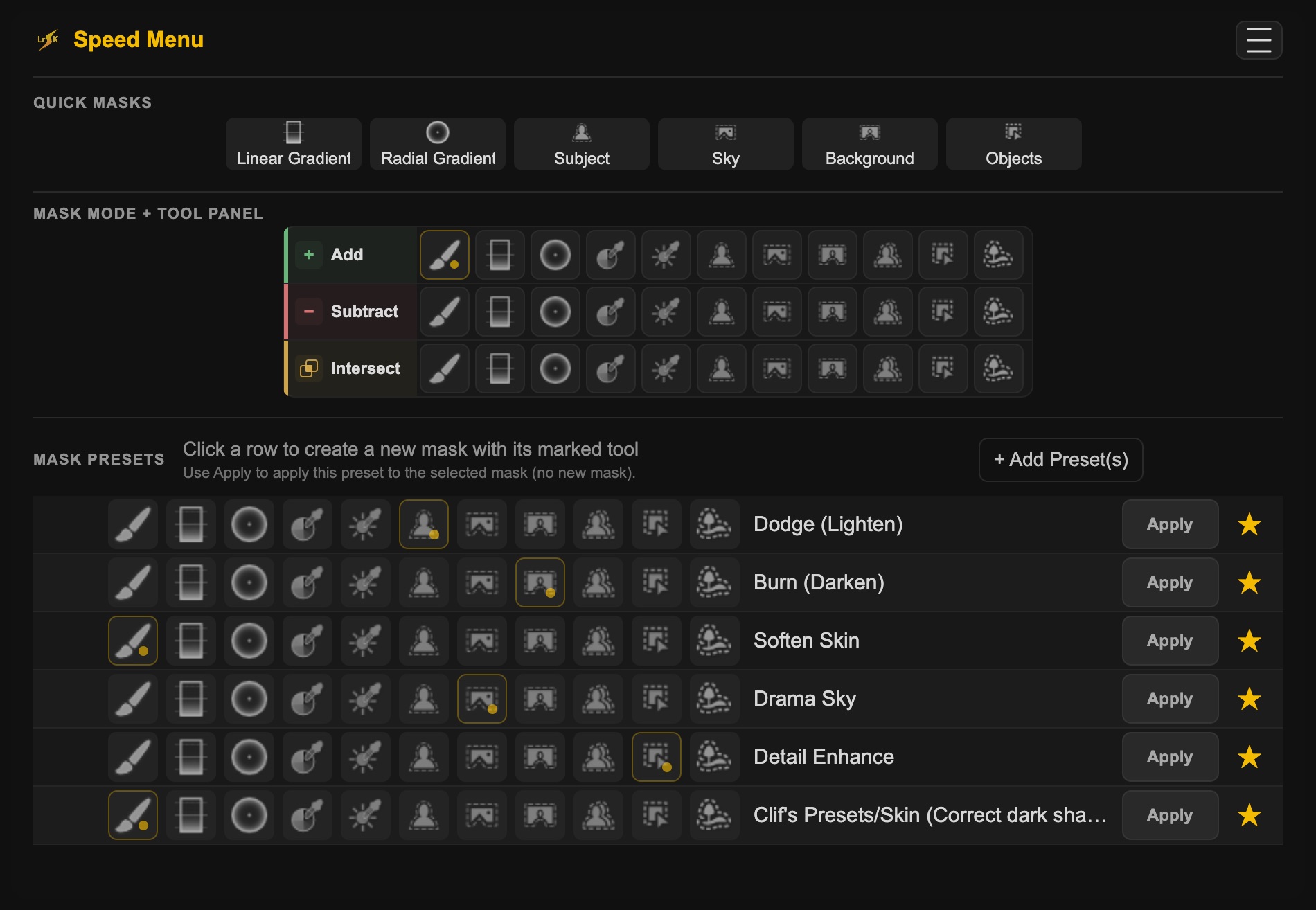
Speed Menu Masking
Create masks and trigger favorite presets from one pop-up menu.
Launch Quick Masks, refine with Add, Subtract, or Intersect, and search starred masking presets grouped by folder.
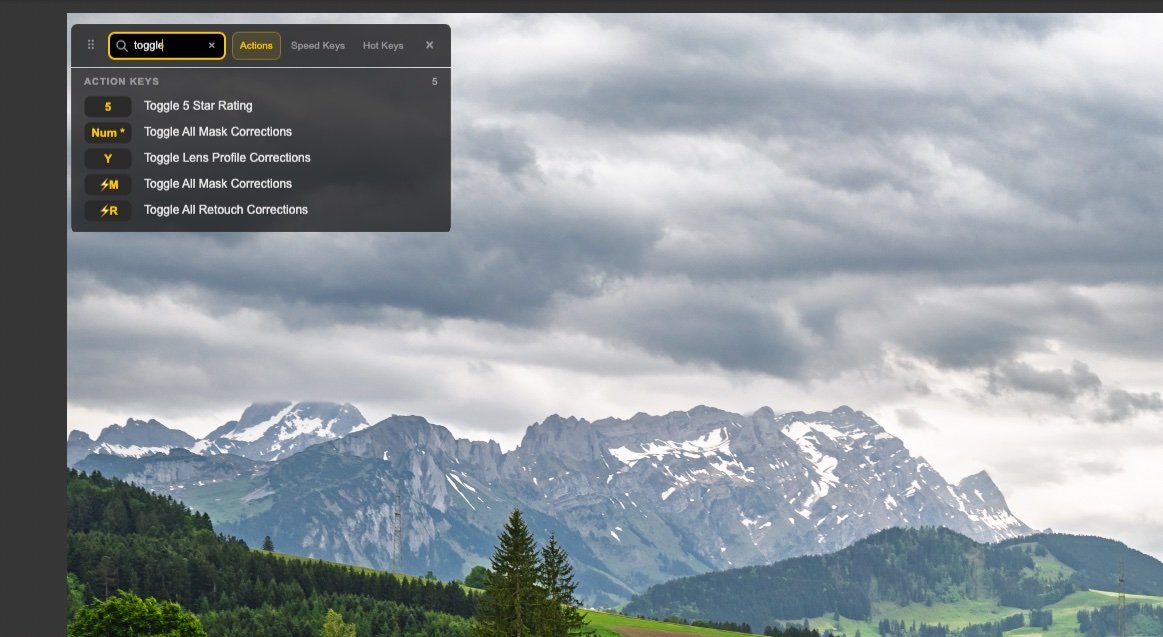
Searchable Shortcut Guide
Look up any Speed Key, Hot Key, or Action Key mid-edit.
Search your active key assignments on screen whenever you need a quick reminder, without opening settings.
Check before you pay
Only renew if you want newer releases.
Stay where you are
No renewal needed
$0
- Your Support End date already covers the release you use
- You are happy with your current workflow and covered version
- You are reinstalling a previously covered build on macOS or Windows
Optional 1-year extension
Worth renewing
$35 one-time
- You want newer LrSuperKeys 7 features like Crop Tool Panel, Zoom Crop, Color Grading keys & Shortcut Guide
- You are updating Lightroom Classic, macOS, or Windows and want the latest compatibility builds
- Adds another 12 months of releases to your existing lifetime license, with no recurring billing
Before you renew
Renewal questions.
Where can I find my support end date?
Open the License page in LrSuperKeys and look for Support End. You can enter that date on the Downloads lookup tool to see every macOS and Windows release your license already covers.
Will I need a new license code?
No. The renewal applies directly to your existing license. If the app still shows your older support end date afterward, open the License page and choose Refresh License.
Why should I start renewal from inside LrSuperKeys?
Clicking License → Extend Support in the app opens this page with your license ID attached automatically, ensuring PayPal checkout extends the right license without asking you to hunt down your key.
What happens if I decide not to renew?
Nothing stops working on builds covered by your license. Your lifetime license does not expire, so you can keep using releases built on or before your support end date indefinitely with zero recurring fees.
Can I pay by credit or debit card without a PayPal account?
Yes. When checkout opens after launching Extend Support from LrSuperKeys, you can choose the Debit or Credit Card option inside the PayPal checkout box without signing into a PayPal account.
I don’t own LrSuperKeys yet. Should I buy here?
No, this page is for extending updates on an existing lifetime license. If you are buying LrSuperKeys for the first time, visit the Purchase page or download the 21-day free trial.
Questions about your license? Contact support →
Ready to bring your license up to date?
Install the latest LrSuperKeys Classic release. If a renewal is needed, License → Extend Support brings you straight to checkout.