
For Lightroom Classic · Windows & macOS
Edit faster in Lightroom Classic.
Hold a key and scroll to adjust sliders with LrSuperKeys. Reach masks, presets, and crop controls from your keyboard, and keep your attention on the photo.
21 days · Full features · Your keyboard and mouse.
Exposure · key + mouse wheel
Speed Keys
Adjust Exposure. Keep your eyes on the photo.
Hold your assigned Exposure key and scroll to brighten or darken. Release when it looks right. That’s a Speed Key.
Scroll down to darken. Scroll up to brighten.
Speed Menu
Give your sky more drama.
Choose the Sky tool beside a favorite masking preset in Speed Menu. Create the sky mask and apply the preset in one action, then refine it with Speed Keys.
An Action Key can create the same Sky mask and apply the preset with a single keypress.
From photographers
What photographers say.
kendidshoots · March 2025 · Earlier version
Starts with Speed Keys at 1:53. Current requirements and trial details.
“I can activate my saved brushes or gradients in one click.”
Taras Yasniy
Wedding & portrait photographer
“I started to use Speed Keys and OMG what a timesaver.”
Che Birch-Hayes
Wedding & event photographer
Crop Tool Panel
Crop without chasing the handles.
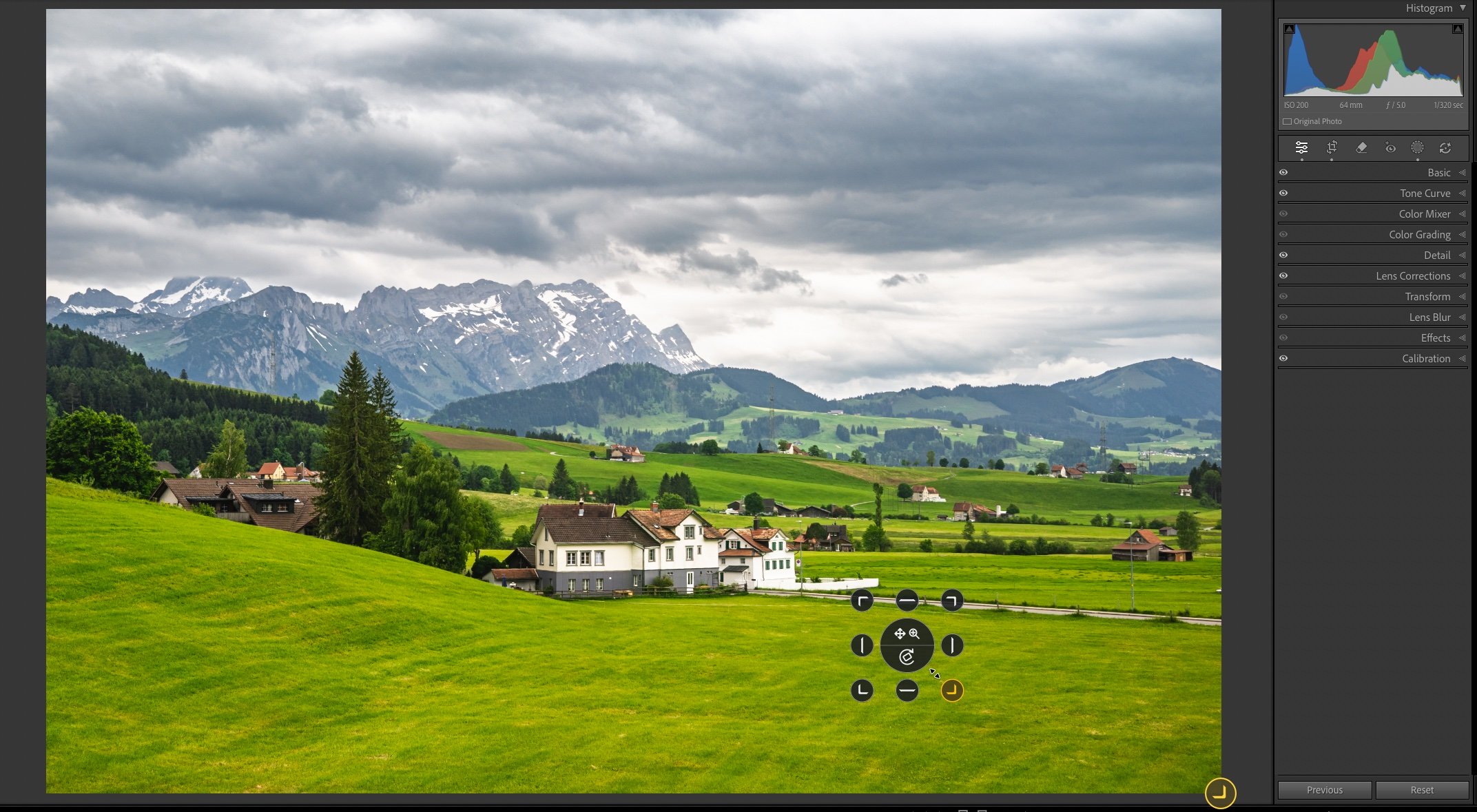
Resize, reposition, zoom, and straighten with your Crop Speed Key. Keep the pointer near the center while you refine the edges.
Compare Crop Panel and Crop Overlays
Crop Panel opens at your pointer. Crop Overlays shows controls around the photo or screen. Both use the same gestures.
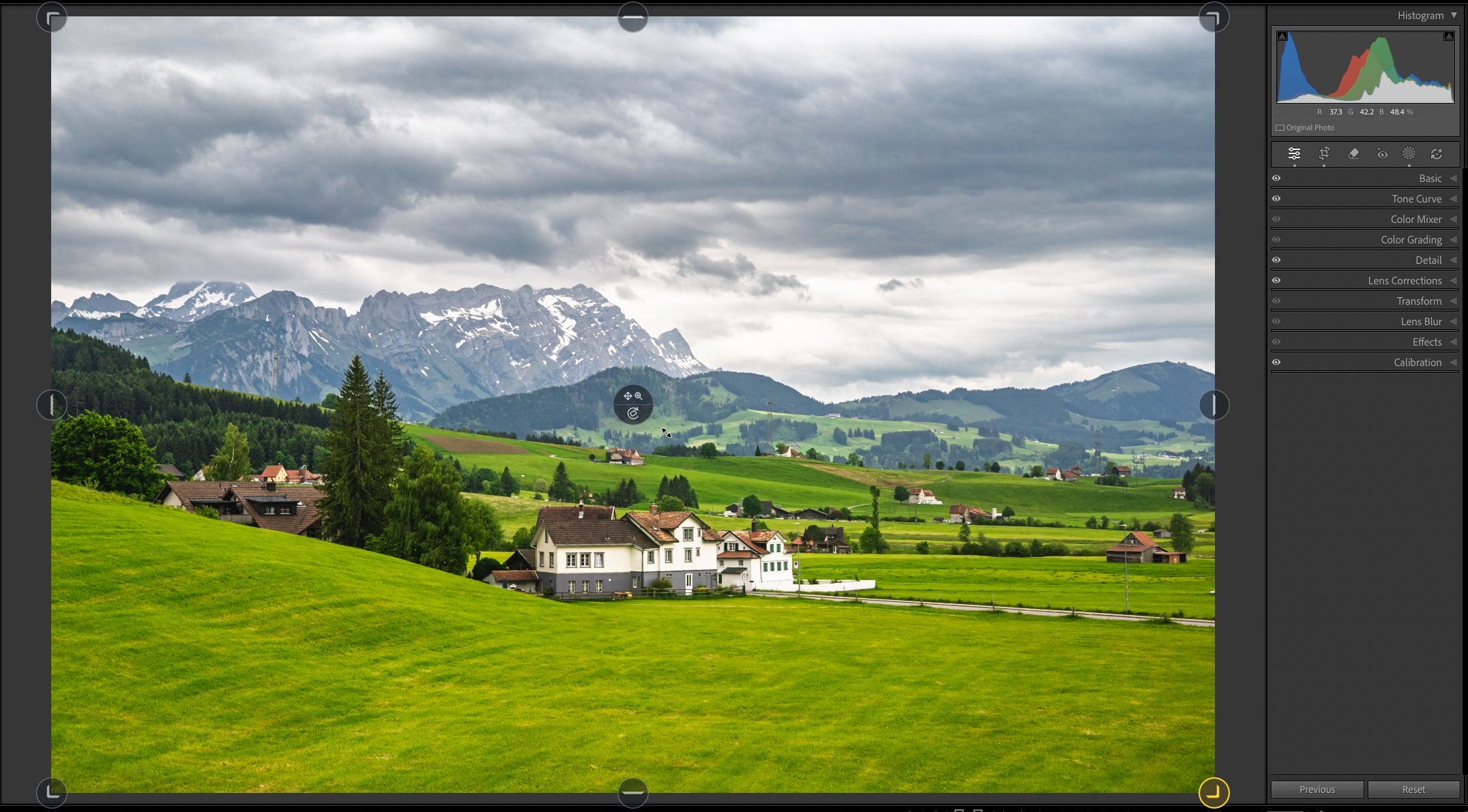
How do the crop controls work?
Hold your assigned Crop Speed Key. Move toward an outer handle to select it, then left-drag to resize. In the upper center, left-drag to reposition or scroll to zoom. In the lower center, drag or scroll to straighten. Release the key when finished.
Check your assigned key and display mode in LrSK’s Develop → Crop Tool Panel settings.
Make it your workflow
Three ways to put your keys to work.
Speed Keys
Hold and adjust.
Hold a key and scroll or drag to change an adjustment.
Hot Keys
Tap for precise steps.
Tap your increase or decrease key to change a slider by one step.
Action Keys
Run a command or preset.
Assign a key or key combination to a Lightroom command or preset.
Before you download.
Can I try LrSK before buying?
Yes. Download LrSK and activate the full-featured 21-day trial in the app. Try it on your own photos before deciding. Choose your download →
What happens after the trial?
Buy a license to keep full access, or continue with the free edition’s three Speed Keys: Temperature, Tint, and Exposure.
Which Lightroom version do I need?
LrSK works with Lightroom Classic on Windows and macOS. Check the supported versions before installing.
Do I need special hardware?
No. Use your existing keyboard and mouse, with shortcuts you can assign to suit your editing habits.
Is LrSK a subscription?
No. You pay once for a lifetime license with one year of updates. Keep using versions covered by your support date; renew only if you want newer releases. View current pricing and license details →
Questions before trying it? Contact support →
Spend less time on controls. More time on your photos.
Try Speed Keys, masking presets, and crop controls on your own photos with the full-featured 21-day free trial.
One-time purchase · No subscription · View pricing →